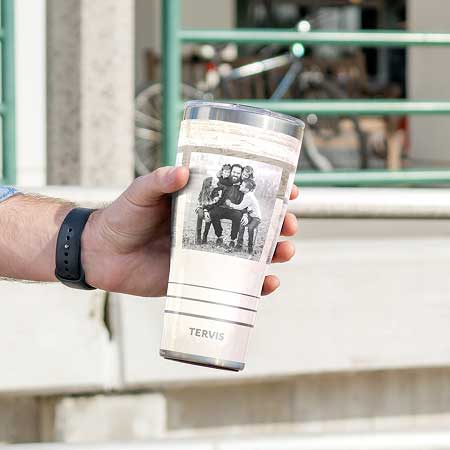
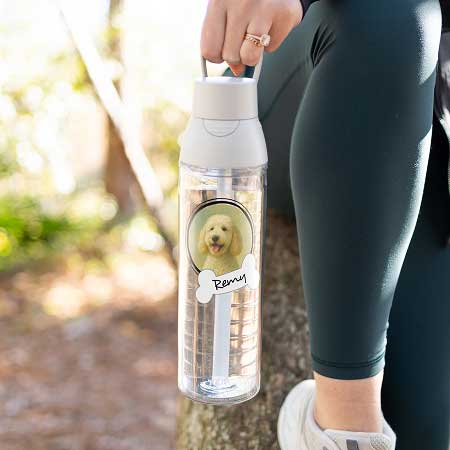
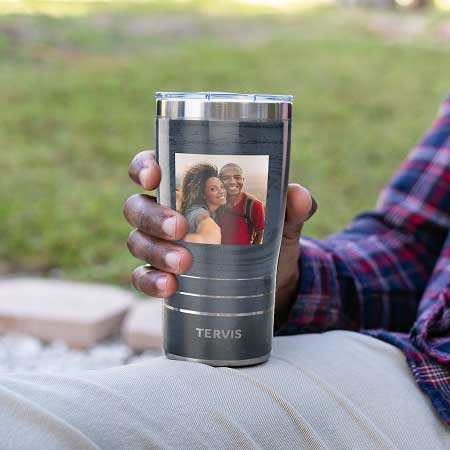
PLEASE NOTE: Due to the customized nature of this product, these items cannot be returned or refunded.
Uploading Images / File Requirements
Q: What file formats does the Tervis Customyzer accept?
A: We currently accept JPEG, JPG, PNG image files.
Q: What is the smallest & largest image file size I can upload?
A: Images must be at least 480x480 and up to 4616x4616 (12MP).
Q: If my image looks blurry in the Tervis Customyzer, will my design print blurry?
A: Using a blurry a pixelated image will result in a blurry and pixelated print. For the most part, what you see is what you get. Try to use the best quality images you can.
Q: Can I edit my photo in the Tervis Customyzer after I upload it?
A: You can edit the image by rotating it 360 degrees or resizing it by grabbing the corners when the image is selected. Resizing maintains the original aspect ratio of the image. We recommend handling your cropping, brightness and contrast adjustments etc prior to uploading.
Q: Can I increase the resolution of a digital photo?
A: No, you cannot increase the resolution to add more detail to the photo. Photo-editing software can often help improve the photo’s appearance without increasing the resolution.
Q: I’m having difficulty uploading my photos. Am I doing something wrong?
A: There are a few common reasons why files fail when uploading to the Customyzer:
- Verify the file format: Only JPG, JPEG and PNG files are accepted at this time.
- Public wireless connections may be less reliable and therefore affect your upload.
- Save files to your computer before uploading. Don’t upload directly from a camera or DVD.
- Disable any applications that could block uploads: pop-up and ad blockers, firewall applications.
- Make sure your computer does not go into sleep mode. Either move the mouse occasionally or adjust the sleep setting son your computer.
If you've tried the above and are still experiencing difficulty, please contact Tervis Customer Care @ 1-866-886-2537 or customercare@tervis.com. Information about your computer such as internet connection speeds and the circumstances under which your upload is failing is all very helpful when calling.
Designing in the Customyzer
Q: What is the editable area border mean?
A: The editable border is your canvas space to upload photos, add text, stamps & backgrounds. What you add in that space will then appear on the 3D tumbler preview to the right of the canvas. Your design will appear on the tumbler exactly as it appears on the canvas.
Q: If I don’t fill in the entire canvas area, what will the blank, unused areas be?
A: Blank areas will be transparent on your customized wrap. You will be able to see all transparent areas on the 3D tumbler preview to the right of the canvas.
Q: How do I resize an item?
A: First, select the item, then click & drag any of the handles (the little boxes) that are around the border. Dragging the handles will resize the item while maintaining its aspect ratio.
Q: How do I rotate an item?
A: First, select the item, then hover just above the top corners or below the bottom corners of the image. A small rotating arrow will appear. Click and drag. You can rotate a full 360 degrees.
Q: How do I add text to my design?
A: Click the “text” button in the lower right hand corner of the editor toolbar. A textbox will appear in the canvas.
Q: How do I move my textbox in my design?
A: To move your textbox, select the textbox, then deselect the edit button in the textbox toolbar. Your textbox will now have a thicker red border. Simply grab anywhere in the textbox or on the border to move your text to the desired location.
Content Rules
Q: How do I know if my content is copyrighted or considered inappropriate by Tervis?
A: Here are some helpful hints to determine your design will glide through our review process:
- No use of trademarks, names or logos of companies/brands that are not your own. If you use a copyrighted/trademarked name or logo, you must have permission from the owner.
- No use of photos, logos or artwork (including caricatures) that represent or depict celebrities. This includes photographs you took of a celebrity with your own camera.
- No use of names, logos, pictures or other intellectual property of musical artists/groups.
- No use of names, logos, pictures or other intellectual property of sports teams, colleges, clubs or organizations. If you use a copyrighted/trademarked name or logo, you must have permission from the owner.
- No potentially suggestive, offensive, adult or explicit content.
Printing
Q: What will my design be printed on?
A: Your design will be printed on what Tervis calls a “wrap”. A wrap is a clear plastic material that is sealed between the inner & outer walls of the tumbler size you choose. You will be able to see your design both from the outside & inside of the tumbler.
Q: Does Tervis make any enhancements to the designs before printing?
A: No adjustments are made to your files before printing.
Q: Do you print your logo on my customize design? Can I request that it be removed?
A: Yes, the Tervis logo is printed in white along the bottom of the left seam of the wrap. We also print up to 15 characters adjacent to the Tervis logo. This is the personalized ID of your cup. We can’t remove the logo or the personalized ID but they are small and shouldn’t interfere with your design.
Q: Can Tervis customized products be returned or refunded?
A: Due to the customized nature of these products, they cannot be returned or refunded.